

Forms
A form exposes a chosen subset of one sheet's columns as input fields behind a share link. Anyone with the link fills them in — no Quanty account needed on a public form — and every submission creates a real row in the target sheet through the same path as a manual edit: the grid shows it instantly, the audit trail records it, and the row is marked as coming from the form. Submissions land as rows in your sheet, ready for your AI columns to run.
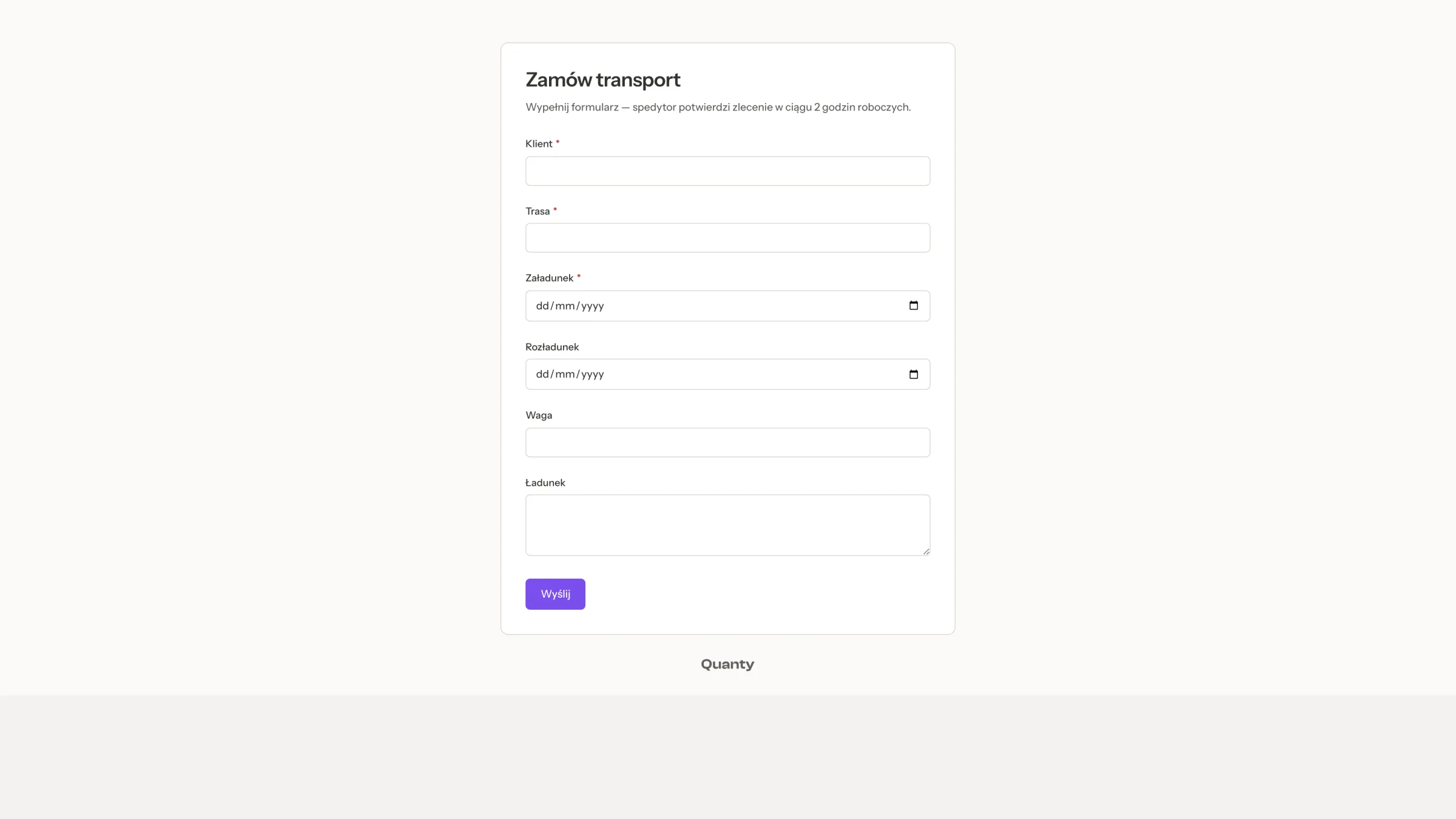
Creating a form
From a workbook's sidebar or from a project space, choose New form, give it a name and pick the Target sheet — the sheet is fixed at creation and cannot be swapped later. A new form starts with every inputtable column as a field; trim the list down in the builder. A form holds between 1 and 30 fields.
The builder
The builder has three panes: the field picker on the left, a live preview of the form card in the middle, and the link, password and post-submit settings on the right.
- Each field has a Required toggle.
- The form's title (up to 200 characters) and description (up to 1,000) are edited inline, right on the card.
- Preview opens an overlay that renders exactly what the public page will show.
- Field labels are the column names, verbatim, and fields appear in the order you add them — there is no drag-to-reorder.
Field types
Columns of these types can become fields: custom prompt, summary, number, date extraction, single select, multi select, classification, URL, JSON, entity extraction and key-value. Selects render as option chips in the sheet's option colors, dates get the native date picker, and numbers a decimal input. File columns are not offered — a form collects values, not documents.
The share link
The public page lives at /f/ followed by the form's token and requires no sign-in. From the builder you can Generate link, rotate it with Generate new link — "New link generated — the old one stopped working" — or Revoke link to stop collecting.
The audience is Public or Organization only — an org-only form prompts visitors to sign in and checks their membership.
Changing the audience rotates the link
Switching between Public and Organization only mints a new token, so every copy of the old link stops working the moment you switch.
Password protection adds a shared password of at least 4 characters: respondents must enter it before seeing the form. The password travels in the request body, never in the URL, and can be removed at any time.
Branding
- A cover image — PNG, JPEG or WebP up to 5 MB — spans the full width above the form card.
- A custom logo — PNG, JPEG, SVG or WebP up to 2 MB — sits at the top of the card.
Both appear on the public page and in the builder preview. "The Quanty mark stays in the footer."
After a submission
The post-submit settings decide what respondents see and what happens next:
- A custom confirmation message of up to 500 characters — by default "Thank you! Your response has been recorded."
- The "Submit another response" button — shown by default.
- Auto-reset — "Show a new blank form after 5 seconds" — off by default.
- Redirect to a URL — a validated http or https address.
- Require an e-mail address from respondents — format-checked and stored in the row's metadata, never in a column.
- An opt-in notification that e-mails you, the form's creator, on each submission. The respondent gets no confirmation e-mail.
Where submissions land
Each submission becomes a row in the target sheet, attributed in the row's metadata: the source form, its id, the submission time and the collected e-mail, if any. Validation runs on both sides — required fields are enforced in the browser and on the server, select values must match the column's actual options (matched case-insensitively, with the canonical label stored), every value is capped at 4,000 characters, and e-mail format is checked twice. If a field's column is later deleted or retyped, the field is dropped silently and the form keeps working while the sheet evolves.
A submission never runs anything by itself — the new row sits with empty AI cells until you run the columns, so nothing spends credits without you.
Limits
- Up to 30 fields per form.
- The public page is rate limited: about 30 opens and 10 submissions per minute.
The 5,000-row ceiling
A form stops accepting submissions once its target sheet reaches 5,000 rows. Archive or move rows out of the sheet to keep collecting.
Related pages
- Columns & AI extraction — running AI over the rows a form collects.
- Kanban boards — triage submissions by dragging them across a board.
- Workbooks & sheets — where target sheets live.